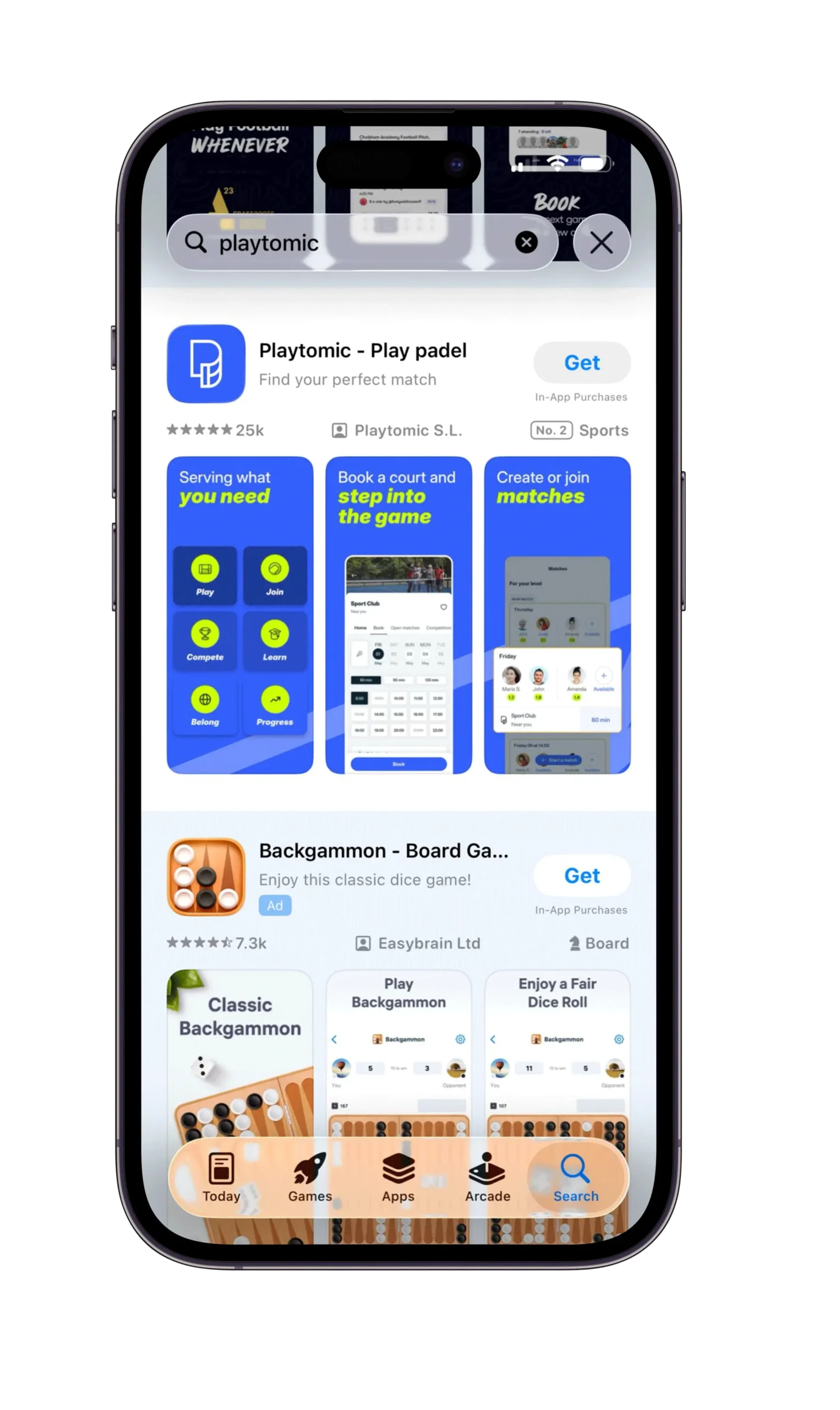
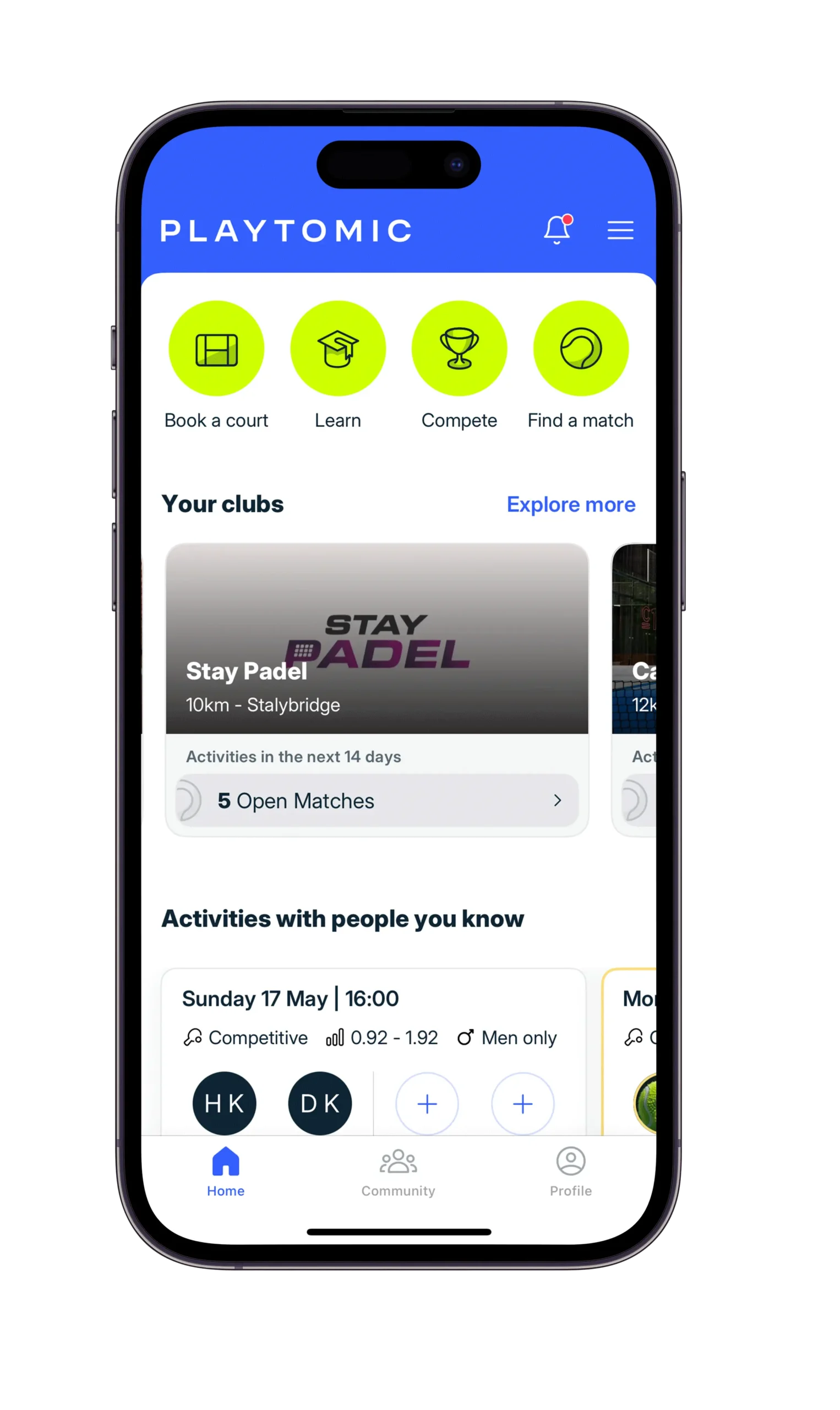
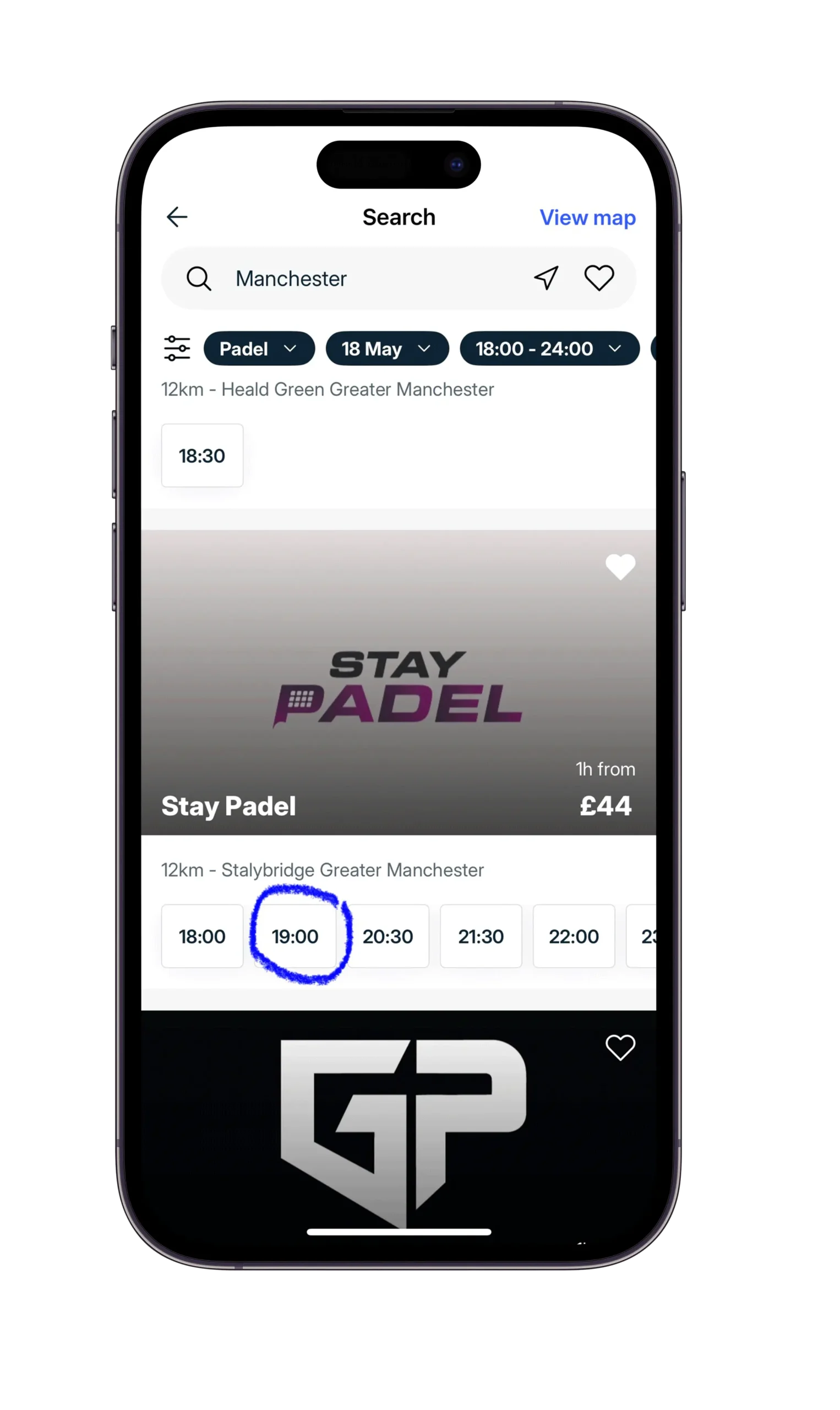
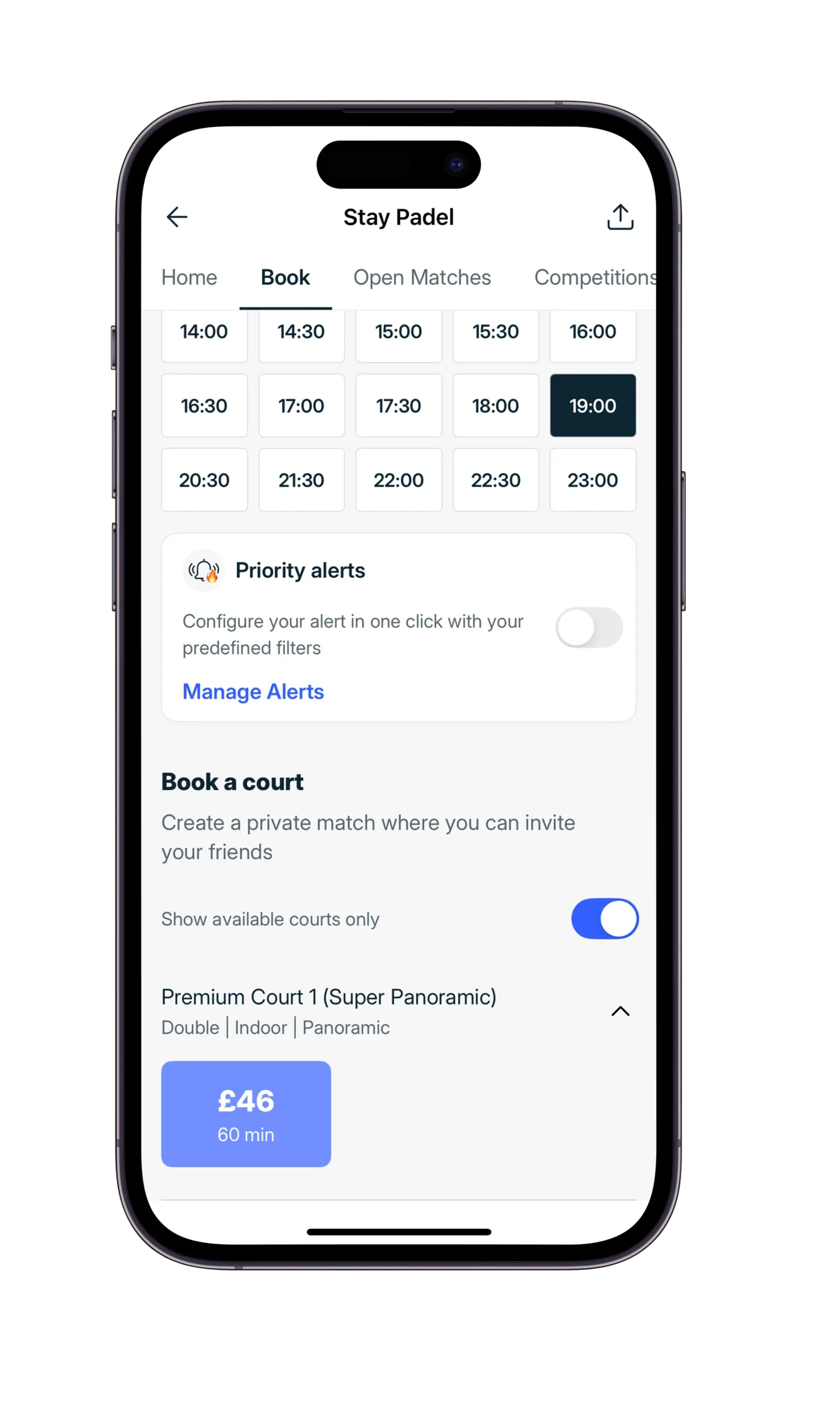
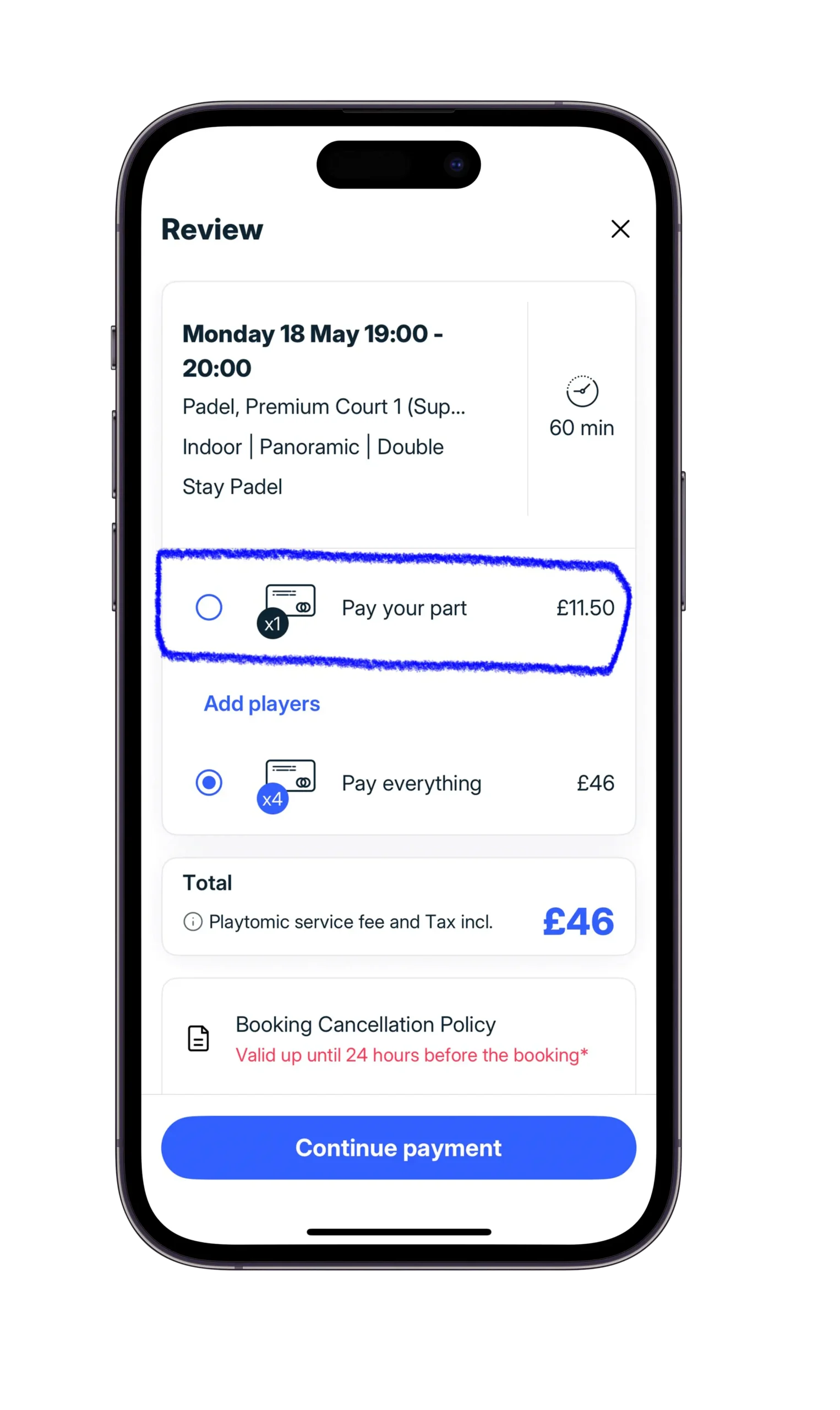
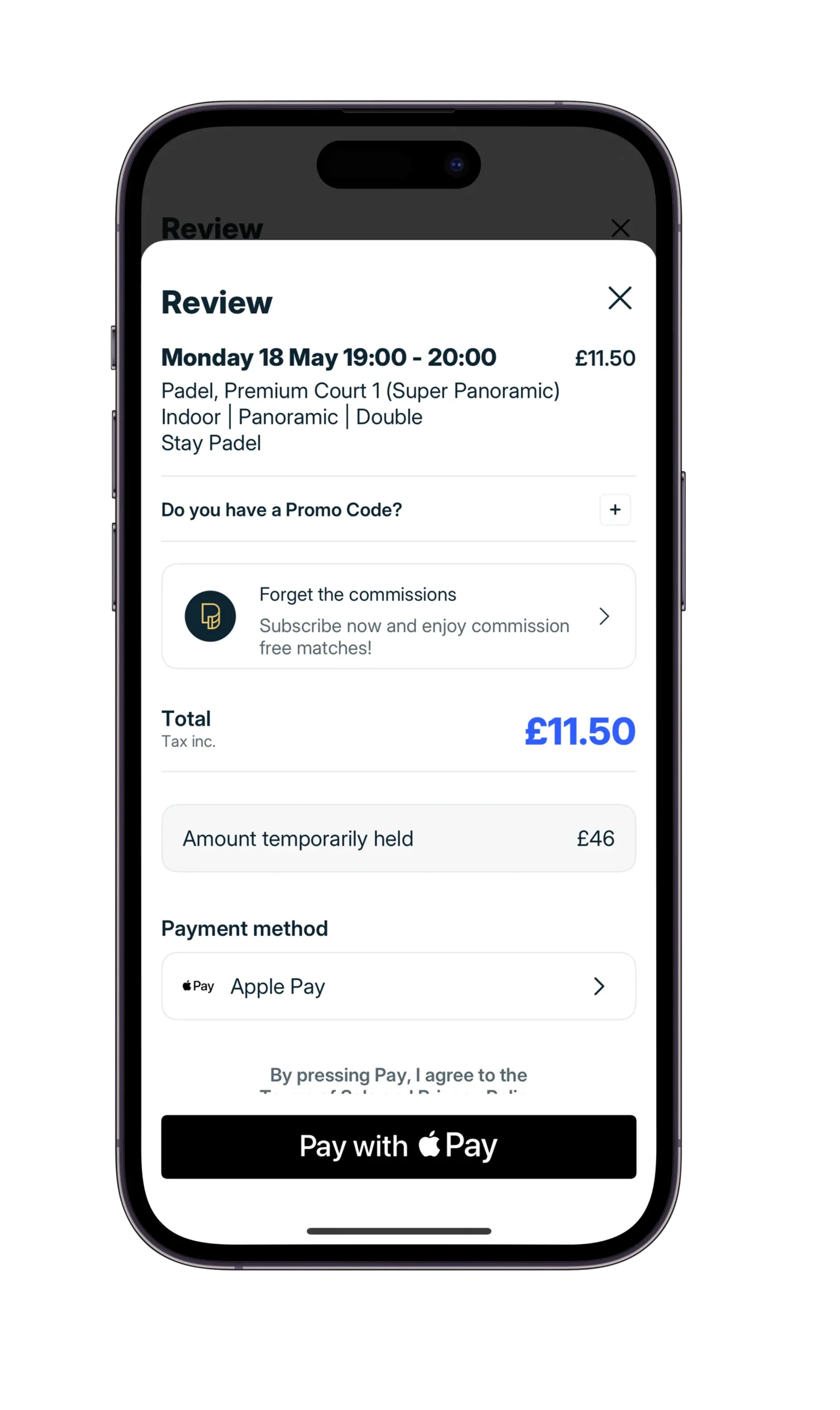
Yes Padel Club STEP BY STEP GUIDE: How to Book a Padel Match on the Playtomic App Below you will find a screenshots version of the screens you might see on your phone when registering, booking and managing your bookings Book Now Registering Booking A Court Manage Your Booking Step 1: Download the Playtomic App Open the App Store (iPhone) or Google Play Store (Android).Search for “Playtomic”.Download and install the app on your device. Step 2: Create Your Account Open the Playtomic app.Tap “Sign up”.Register using one of the following:Email addressGoogle accountApple IDEnter your basic details (name, location, and playing preferences if prompted). Step 3: Set Up Your Player Profile (By pressing “Find a Match” icon) Add a profile picture (optional but recommended).Select your sport as Padel.Indicate your skill level (beginner, intermediate, advanced).Set your preferred playing area or allow location access to find nearby courts. Step 4: Book a Court Go to “Book a Court”Choose your location or let the app use your GPS.Browse available options:Nearby padel clubsAvailable courtsReserve a court for you and your friends Step 5: If you prefer to join an existing game instead of booking a court • Press “Find a match” – join an existing game with other players Step 6: Select Date and Time Pick your preferred club or match.Choose an available time slot.Check the match details:Level of playersFormat (e.g. doubles, singles)Duration (e.g. 60 mins, 90 mins)Price per player Step 7: Confirm Your Booking Tap “Book”or “Join match” depending on what method of booking you have adopted.Review the final price and details.Confirm your booking. Step 8: Make Payment Enter payment details if not already saved.Pay securely through the app.You will receive a booking confirmation instantly. Step 9: Get Ready to Play Check your booking details under “My Matches”.Arrive at the club a little earlier than your game slot to warm up and/or maximise playing time. Step 10: Enjoy Your Match Check in at the club if required (e.g. to hire a racket, buy some energy drinks, water, etc).Meet your teammates and opponents.Play and enjoy your first padel experience! Registering Booking A Court Manage Your Booking Step 1: Download the Playtomic App Open the App Store (iPhone) or Google Play Store (Android).Search for “Playtomic”.Download and install the app on your device. Step 2: Create Your Account Open the Playtomic app.Tap “Sign up”.Register using one of the following:Email addressGoogle accountApple IDEnter your basic details (name, location, and playing preferences if prompted). Step 3: Set Up Your Player Profile (By pressing “Find a Match” icon) Add a profile picture (optional but recommended).Select your sport as Padel.Indicate your skill level (beginner, intermediate, advanced).Set your preferred playing area or allow location access to find nearby courts. Step 4: Book a Court Go to “Book a Court”Choose your location or let the app use your GPS.Browse available options:Nearby padel clubsAvailable courtsReserve a court for you and your friends Step 5: If you prefer to join an existing game instead of booking a court • Press “Find a match” – join an existing game with other players Step 6: Select Date and Time Pick your preferred club or match.Choose an available time slot.Check the match details:Level of playersFormat (e.g. doubles, singles)Duration (e.g. 60 mins, 90 mins)Price per player Step 7: Confirm Your Booking Tap “Book”or “Join match” depending on what method of booking you have adopted.Review the final price and details.Confirm your booking. Step 8: Make Payment Enter payment details if not already saved.Pay securely through the app.You will receive a booking confirmation instantly. Step 9: Get Ready to Play Check your booking details under “My Matches”.Arrive at the club a little earlier than your game slot to warm up and/or maximise playing time. Step 10: Enjoy Your Match Check in at the club if required (e.g. to hire a racket, buy some energy drinks, water, etc).Meet your teammates and opponents.Play and enjoy your first padel experience!